Installing
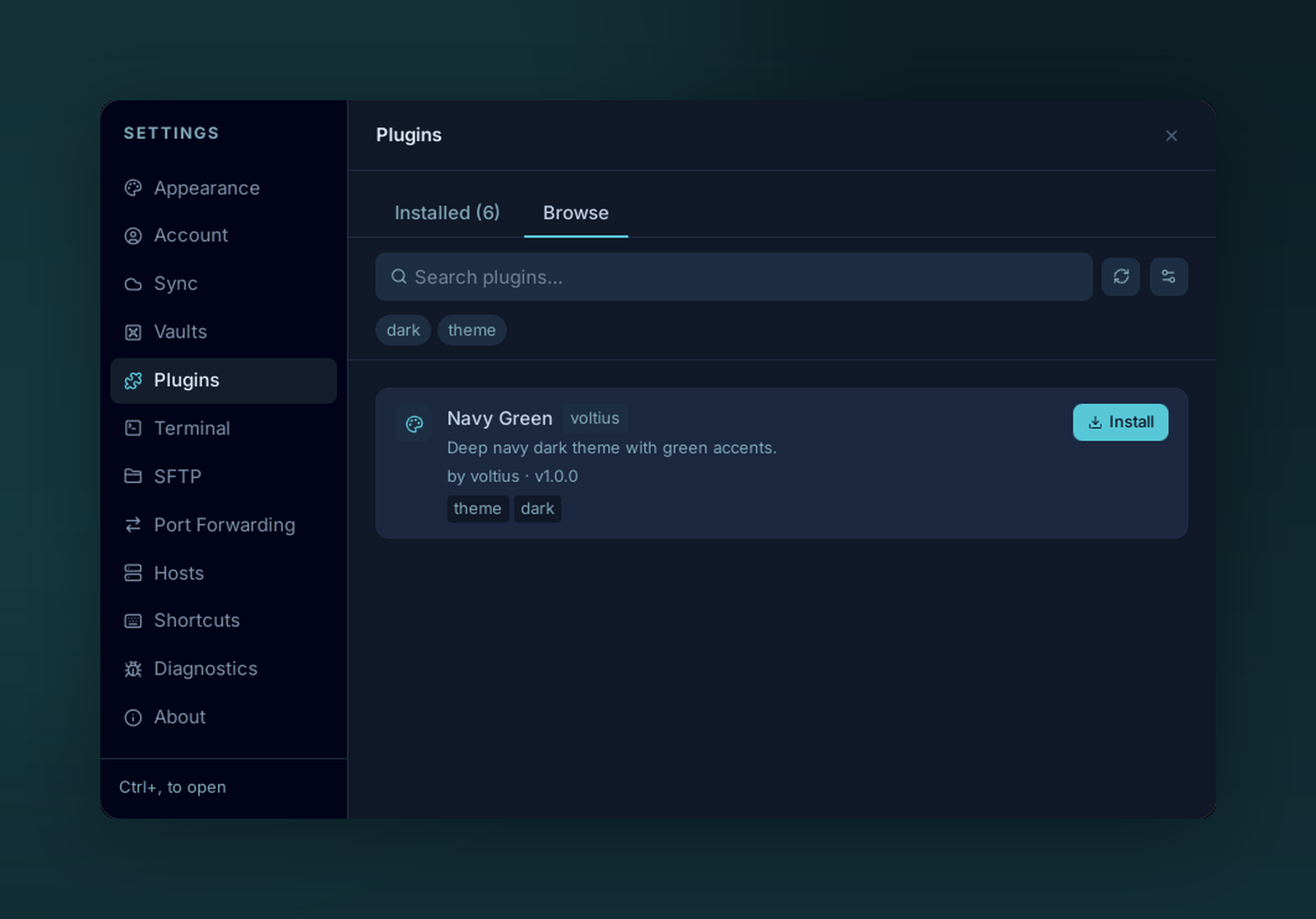
Browse the marketplace and install plugins with a single click.
Settings → Plugins → Browse is the marketplace.
Browsing
- Search — filter by name or tag.
- Tags — productivity, theme, import, sync…
- Theme toggle — show themes only / hide themes.
Each card lists the plugin's declared permissions before install — review them before clicking Install. Treat that list as disclosure, not a guarantee: a plugin runs with the app's full privileges (see What plugins can do), so installing one is a matter of trusting its source.
Installing a plugin
Click Install. Voltius fetches index.js + manifest.json from the plugin's GitHub release, verifies the manifest, and writes them under $APP_DATA/plugins/<id>/. If the marketplace listing carries a content hash of the bundle, Voltius checks the downloaded index.js against it and blocks the install on mismatch.
The plugin appears in Installed but is disabled by default for marketplace installs. Toggle it on after reviewing what it does.
Verified vs. unverified
An installed plugin shows an Unverified badge when the listing it came from didn't carry a bound content hash — Voltius downloaded and wrote the bundle but couldn't confirm it matches a specific reviewed artifact. This is expected today: content-hash binding is being rolled out across the marketplace, so until a listing publishes one, its installs are unverified by design. Local (developer) plugins are never badged.
When a listing does carry a hash, a mismatch is refused outright — the reviewed bytes and the executed bytes must agree.
Updating
When a plugin's source publishes a newer release, Voltius detects it — by version, or by a changed content hash at the same version — and shows an Update button on the plugin in Settings → Plugins (labelled v{current} → v{new}). Click it to fetch the latest index.js + manifest.json, re-check the content hash (if the listing has one), and apply the new bundle in place. Your plugin settings live separately from the bundle, so they survive the update. Updates are never applied in the background — you choose when to update.
Re-consent on new permissions
If the new version declares permissions the installed version didn't have — including the gated ones — Voltius shows a non-skippable consent dialog listing the added permissions before it applies the update. An update that doesn't request anything new applies without a prompt.