Gist sync
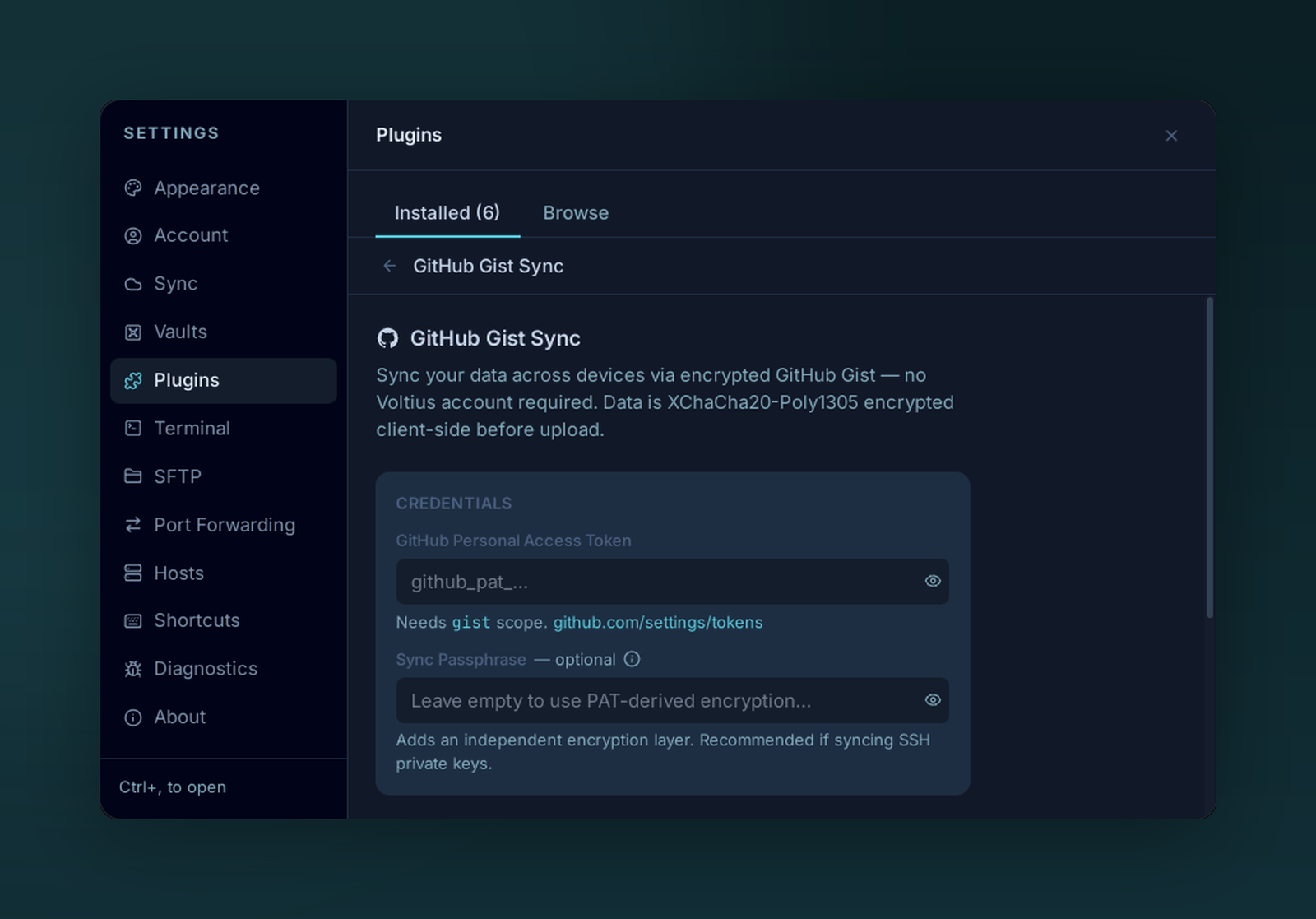
Configure Gist Sync with a GitHub personal access token — everything is encrypted client-side.
Free, zero-knowledge, multi-device sync. Your data lives in a private GitHub Gist that you own — Voltius never sees a thing.
How it works
- You provide a GitHub Personal Access Token (PAT) with
gistscope. - Voltius derives a separate encryption key (
gist_enc_key) from your passphrase + a manifest salt. - The vault is exported as encrypted per-device app-state blobs and pushed to a private Gist on your account.
- Each device polls the Gist for changes and merges remote entity records into local state.
GitHub stores ciphertext only. Your PAT is used to read and write the private Gist.
Setup
Settings → Sync → Gist Sync → Configure.
- Generate a fine-scoped PAT with
gistpermissions only. - Paste it into the PAT field.
- Choose a passphrase — this derives the encryption key. Different from your master password.
- On the second device: same PAT, same passphrase. Voltius detects the existing Gist and pulls.
Trade-offs
| Pros | Cons |
|---|---|
| Free, no account | Polling-based (~30s lag) |
| Bring-your-own infrastructure | You manage PAT rotation |
| End-to-end encrypted | GitHub Gist size limits apply |
Multiple sync providers
Gist sync can run alongside Cloud sync, Cloudflare sync, S3 sync and other sync provider plugins — Voltius shows each one separately in the sync menu and title bar. See Building a sync provider.