Snippets
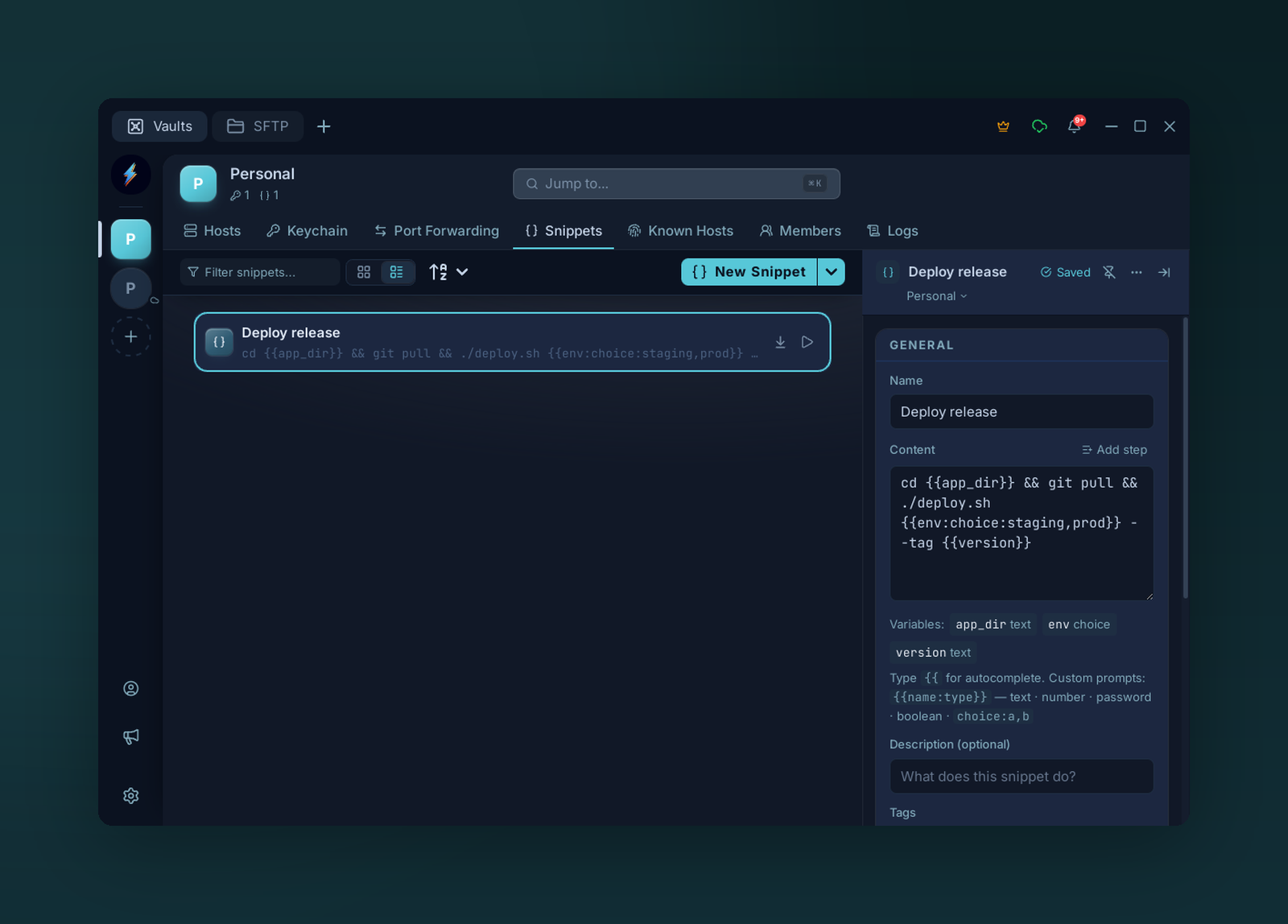
Snippets store reusable commands; {{variables}} become typed prompts filled in at run time.
Saved commands you can run from the command palette, a context menu, or a keyboard shortcut.
Create
Snippets tab → +, or from the omni search → Create snippet from clipboard.
| Field | Notes |
|---|---|
| Name | Display label |
| Content | The command(s). Multi-line is supported — runs as one paste. Grows into a step sequence once you Add step. |
| Description | Optional. Surfaces in the command palette. |
| Tags | Filter in the Snippets list |
| Targets | Which hosts/tags this snippet appears on (context menu) |
| Shortcut | Optional keybinding |
Variables
Embed dynamic values with {{name}} syntax:
| Built-in | Value |
|---|---|
{{connection.host}} |
Active SSH hostname / IP |
{{connection.username}} |
Active SSH username |
{{connection.name}} |
Active connection name |
{{date}} |
YYYY-MM-DD |
{{datetime}} |
YYYY-MM-DD HH:MM:SS |
{{timestamp}} |
Unix timestamp |
{{clipboard}} |
Current clipboard contents |
User variables — any other {{name}} — prompt for input before execution. Variables are collected across every step of a sequence (script bodies and transfer paths) and prompted for once, together, before the sequence runs.
Sequences
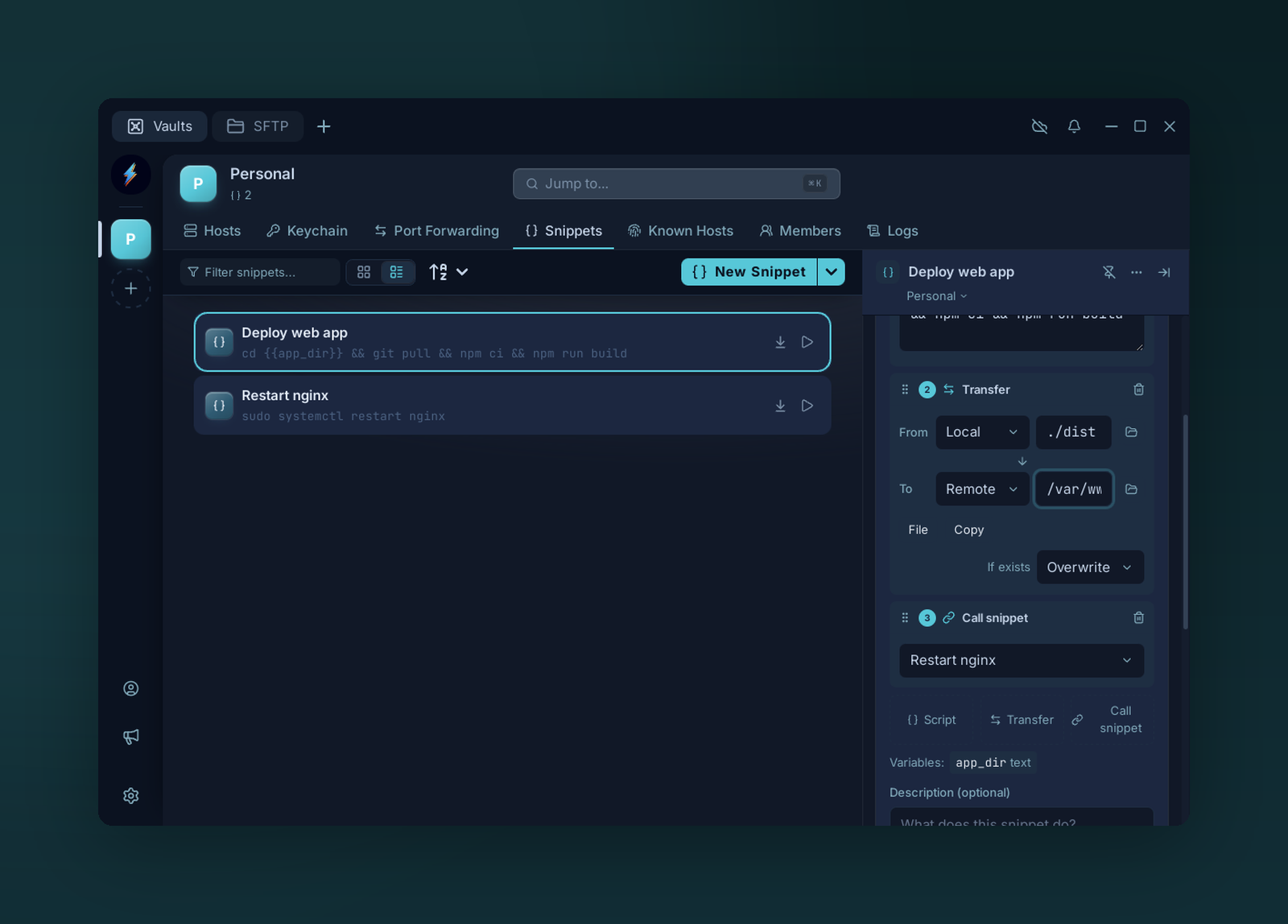
A snippet is an ordered sequence of steps. Mix script blocks, file transfers, and calls to other snippets; drag to reorder.
A snippet is really an ordered list of steps. A snippet with a single script step stays the simple case above — just the Content box. Press Add step to turn it into a sequence: the Content box becomes a numbered step list with a drag handle to reorder and three add buttons.
Steps run top to bottom, in order, against the active connection.
Step kinds
| Kind | What it does |
|---|---|
| Script | A command/script block — the classic snippet body. Supports {{variables}}. |
| Transfer | Copy or move a file/folder between Local and Remote. |
| Call snippet | Runs another saved snippet inline. Sub-snippets can nest. |
Transfer
A transfer step moves data between your machine and the remote host — in either direction, without leaving the snippet.
| Field | Notes |
|---|---|
| From / To | Each endpoint is Local or Remote — so all four combinations work (upload, download, local→local, remote→remote). |
| Path | Source and destination paths. The folder button opens a picker: a native dialog for Local, the remote path browser (pick a host, then browse) for Remote. |
| File / Folder | Toggle whether the path is a single file or a whole directory. |
| Copy / Move | Move deletes the source after a successful transfer; Copy leaves it. |
| If exists | Conflict policy when the destination already exists: Overwrite, Skip, or Fail (stops the sequence). |
Call snippet
Pick another snippet from the dropdown and its steps run in place, as if pasted into this one. Calls can nest — a called snippet may itself call others. Voltius flattens the whole tree before running; self-references and cycles are detected and stopped rather than looping forever.
Add, reorder, remove
- Add — the dashed Script, Transfer, and Call snippet buttons at the bottom of the list append a step of that kind.
- Reorder — drag a step by its grip handle; the numbers renumber as you go.
- Remove — the trash icon on a step's header deletes it.
Drop back to a single script step and the editor collapses to the plain Content box again.
Multi-exec
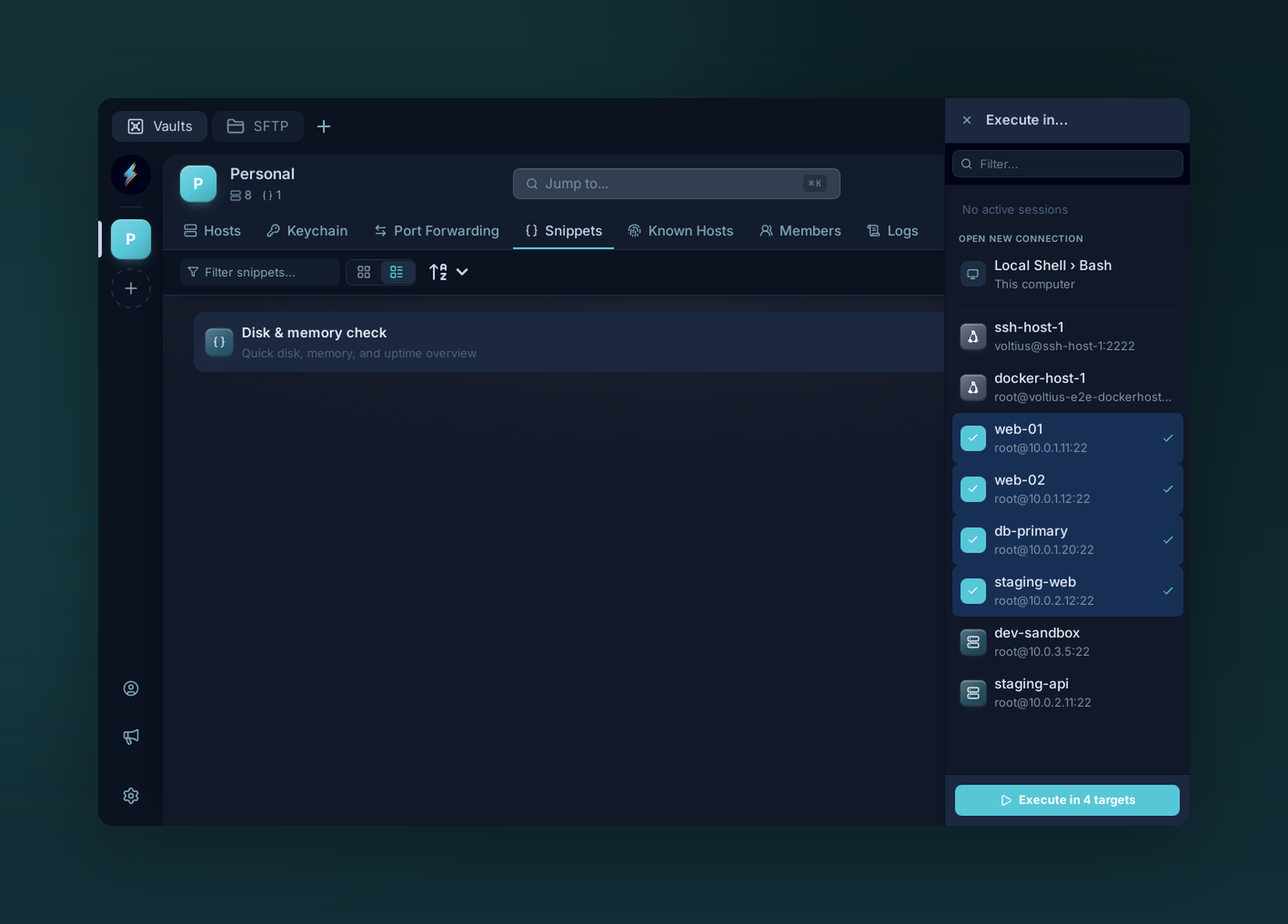
Run one snippet across many hosts at once. Pick targets from the Execute-in panel — Voltius opens a tab per host (or runs in the background) with the command already executed.
From the Snippets toolbar → Run on… to pick multiple hosts. Voltius opens a tab per host (or runs in the background) with the snippet executed.
Multi-host vs multi-step
These are orthogonal. Multi-exec runs one snippet across many hosts; a sequence runs many steps on one host. Combine them: pick several hosts in Run on… and the entire step sequence — scripts, transfers, and all — runs against each target, with that host as the Remote endpoint.
Host pre/post commands
A host's Pre-command and Post-command (connection form → Advanced) each take
either a plain inline command — as they always have — or a saved snippet. Click the {}
button beside the field to pick one; the field turns into a chip naming the snippet, and
the × on the chip returns it to a plain command box.
A snippet used this way runs its whole sequence, so multi-step snippets, Call snippet
steps, and file transfers all work. The pre-command runs when the session connects; the
post-command runs when you close the tab, before the connection is torn down.
Variable prompts
If the snippet uses variables, you are prompted for them — on connect for a pre-command, and on disconnect for a post-command. Because closing a tab is instant, a post-command prompt appears after its tab is gone, so it names the host it belongs to. Dismissing the prompt skips that command and disconnects immediately; a post-command prompt left unanswered for 60 seconds does the same, rather than holding the connection open.
Your answers are remembered per host, so a routine connect is one keypress. Two exceptions:
- Variables typed as
passwordare never remembered. - Tick Ask for variables each time under the fields to stop remembering for that host and forget anything already stored for it.
Serial hosts
Pre/post commands work on serial connections too. File-transfer steps are the one exception — there is no SFTP over a serial link, so those steps report an error.