Cloud sync
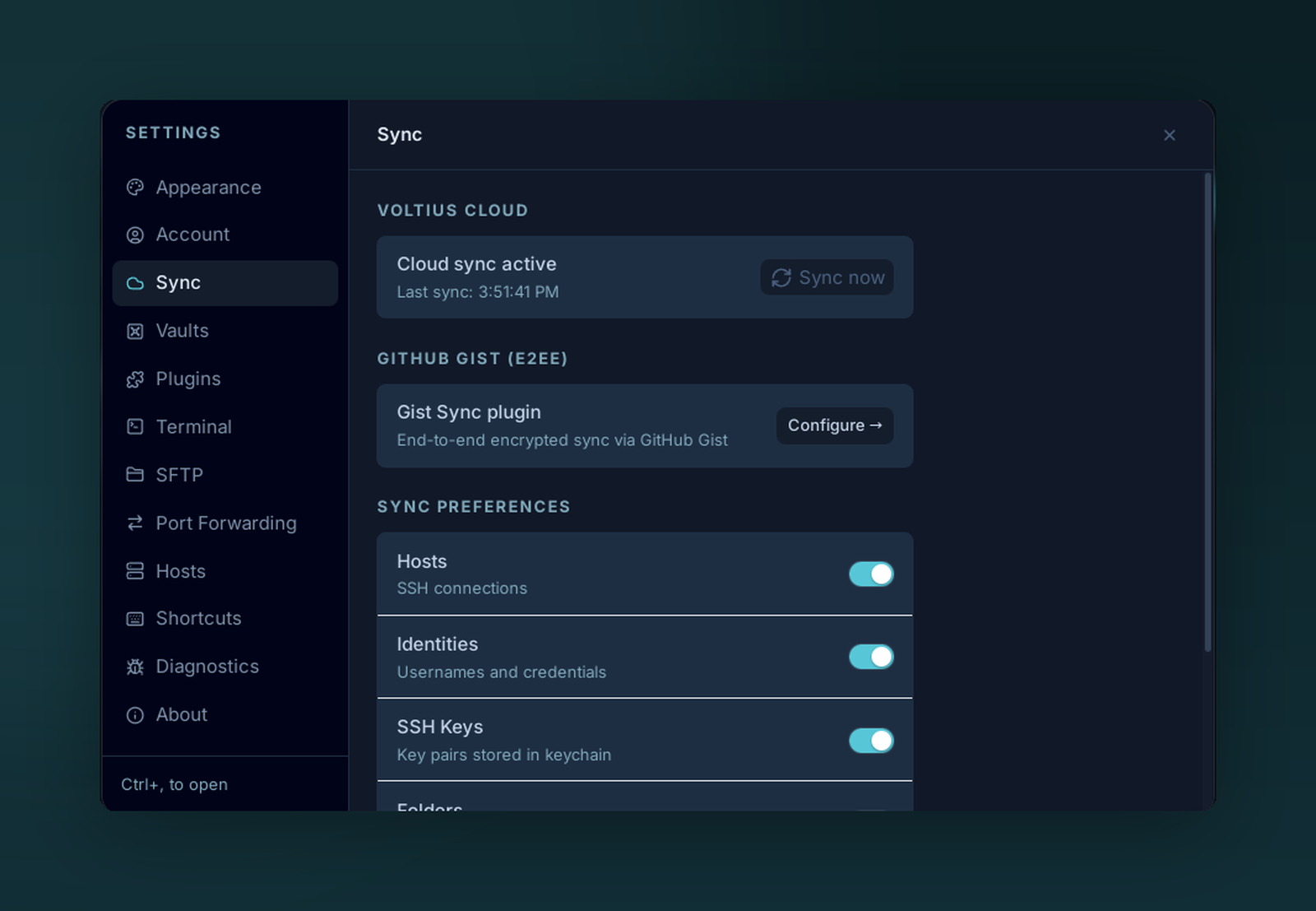
Real-time cloud sync keeps every signed-in device in step. The relay only ever sees ciphertext — and you choose exactly which object types sync.
Real-time sync over the Voltius relay. Pro, Teams and Business plans (including the 14-day Pro trial).
How it works
- Sign in with your Voltius account (created on app.voltius.app or in-app).
- The desktop derives
enc_key(Argon2id + HKDF-SHA256) from your password. - CRDT payloads are encrypted with your account's vault key (unwrapped by
enc_key) and uploaded to the relay over HTTPS. - An SSE stream tells your other devices a new payload is ready; they fetch and merge it in real time.
The relay sees ciphertext only — see Security → Sync protocol.
Sign in
Settings → Sync → Sign in (under Voltius Cloud), or Sign in / Sign up in the account menu.
| Field | Notes |
|---|---|
| Your Voltius account | |
| Master password | Used to derive both auth_key (server login) and enc_key (vault) |
If you don't have an account yet, Create account from the same screen.
If the account has two-factor authentication on, a code from your authenticator app or a passkey is asked for next.
What syncs
- Hosts, folders, tags
- Identities, SSH keys
- Snippets, port-forwarding rules
- App preferences such as theme, UI scale, list/grid layouts, and sort modes
Most user data and preferences are included in sync. Device-specific runtime state, such as currently open terminals, is not.
Trade-offs
| Pros | Cons |
|---|---|
| Real-time | Paid plan |
| Multi-device, multi-vault | Requires account |
| Team audit logs (Teams+) | — |
Self-host the relay
Anyone can run the relay on their own infrastructure — accounts on a self-hosted server get every paid feature, and Business customers also get a commercial license exception. See Self-Hosting.