Split panes
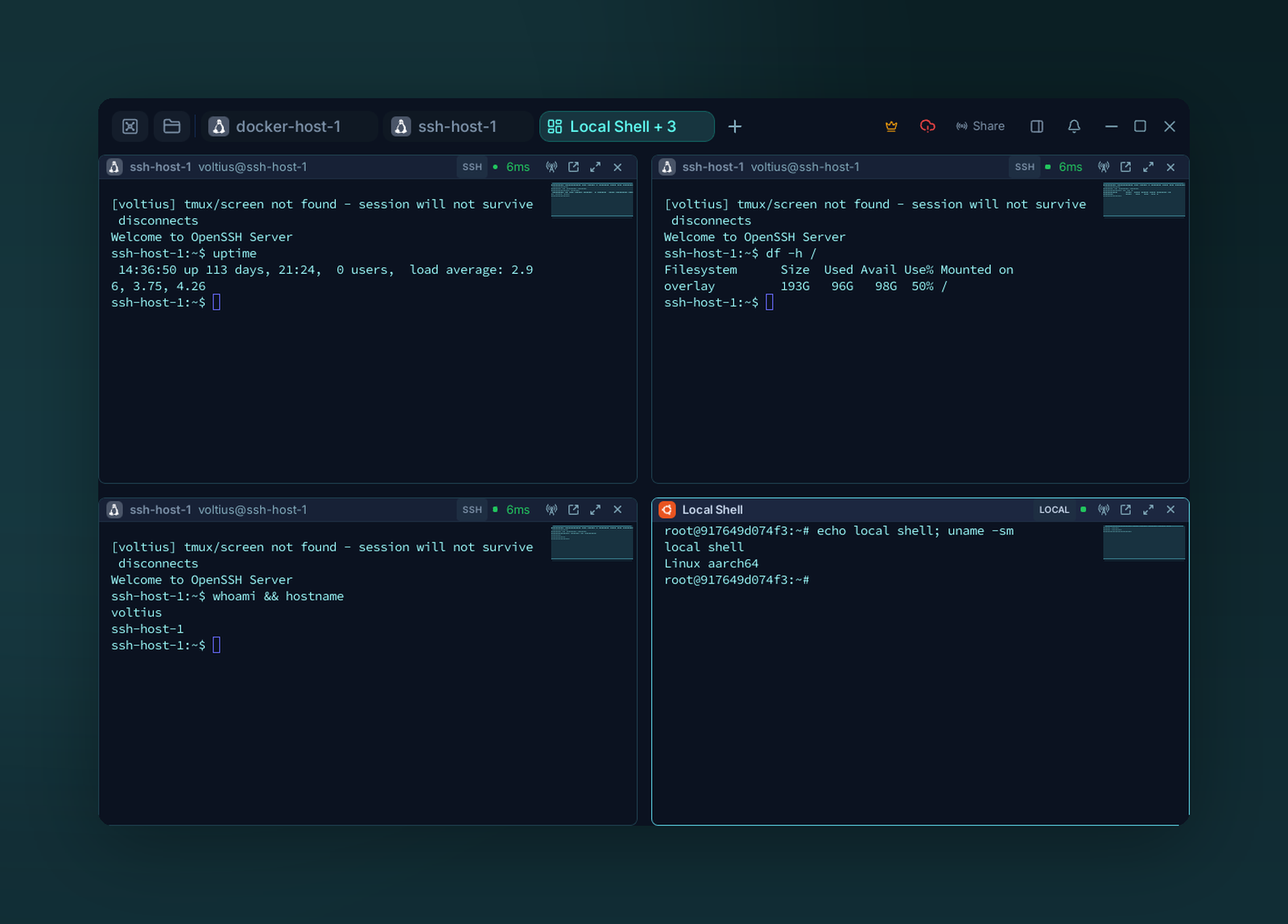
Split a tab into a 2×2 grid — each pane is its own session (four SSH hosts here).
Splitting
| Action | How |
|---|---|
| Split side by side | Right-click the pane header → Split → Split left / Split right |
| Split top / bottom | Right-click the pane header → Split → Split top / Split bottom |
| Open another session in a pane | Drag its tab from the title bar onto the pane (drop zones show where it lands) |
| Resize | Drag the divider |
| Close a pane | Pane header → × (or right-click → Close pane) |
Panes nest — split a split, no depth limit.
Broadcast input
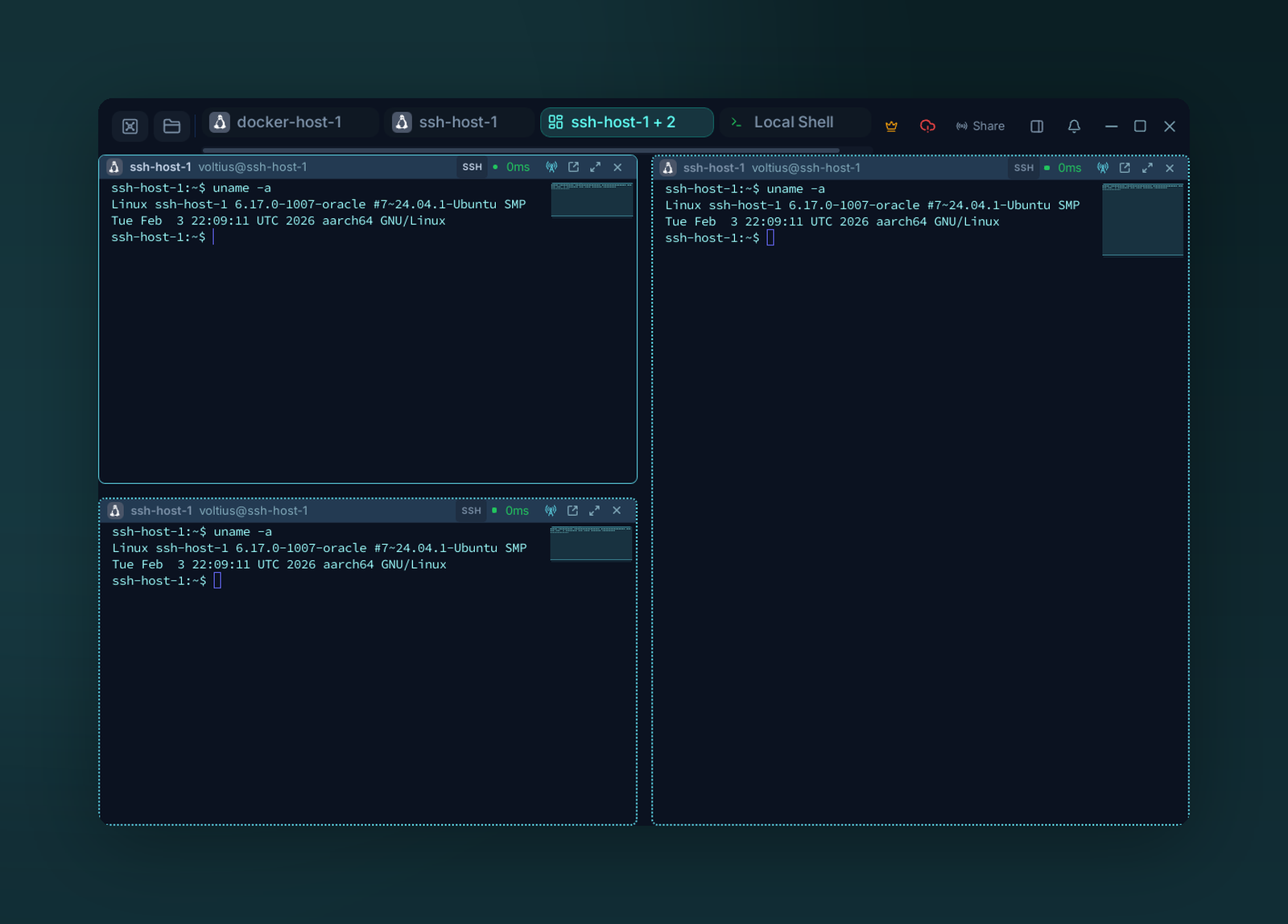
Broadcast input — one keystroke stream goes to every pane in the tab (dotted accent borders show broadcast is on).
Click the broadcast icon in any pane header (Broadcast input), or right-click the tab → Broadcast input to all panes. Every keystroke goes to every connected pane in the tab — useful for running the same command on a fleet. A pane where someone else holds control in a shared session is left out.
While broadcast is on, pane borders turn dotted and headers take the accent tint. Click the broadcast icon again (Disable broadcast) to stop.
Warning
Broadcast is per-tab. Closing the tab clears the broadcast set.