SFTP
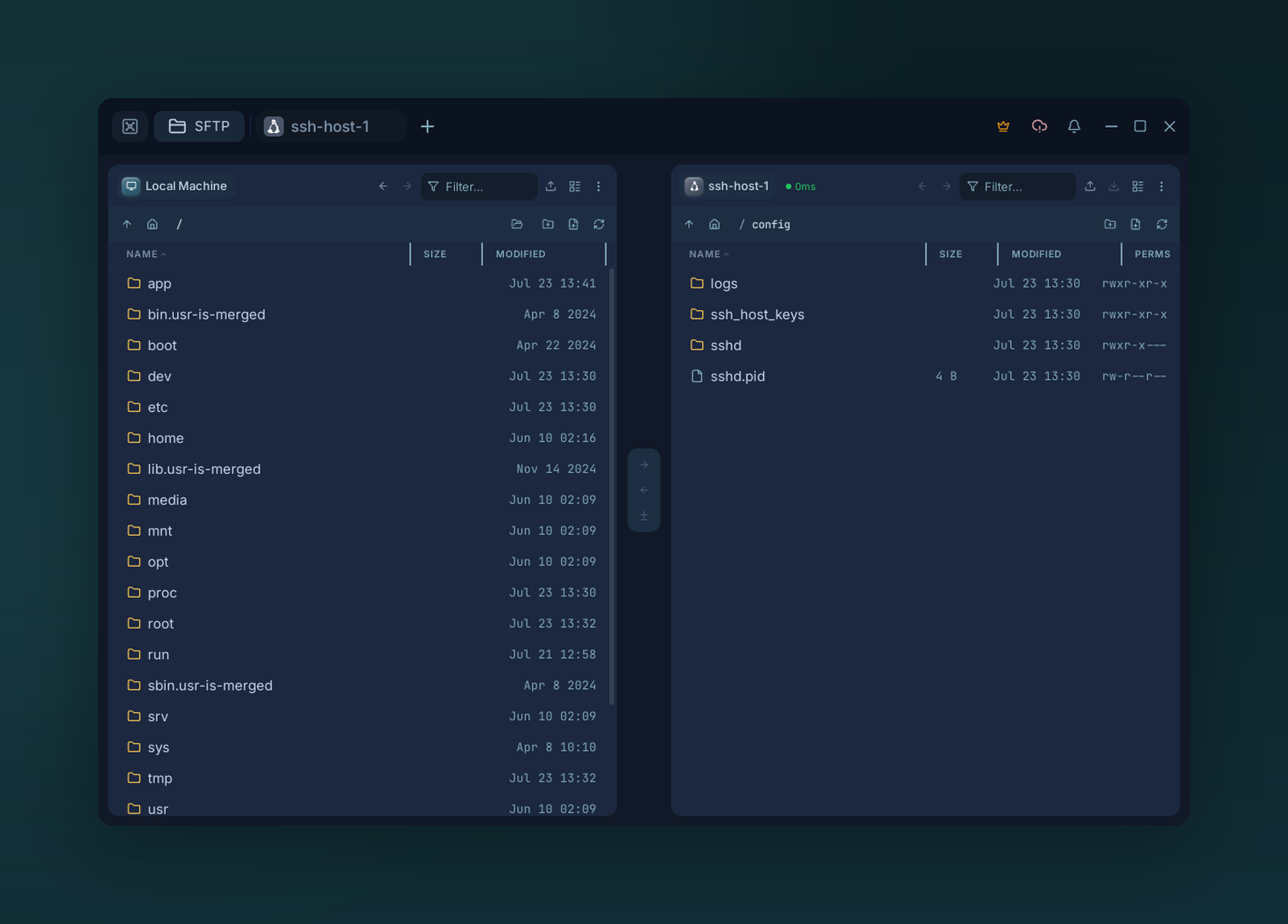
Two-pane SFTP — drag files between local and remote, or host to host.
Two-pane file manager over SSH. Any pane can be local or a remote host — drag files between them.
Opening it
- From a host card → SFTP action.
- From a live session → SFTP button on the terminal tab.
- Multiple SFTP tabs can be open at once.
Panes
Each pane is independent — click the pane header to swap targets without closing the tab.
Drag & drop
| From → To | Action |
|---|---|
| Local → Remote | Upload |
| Remote → Local | Download |
| Local → Local | Copy (direct filesystem copy) |
| Remote A → Remote B | Host-to-host (streamed via Voltius, never your disk) |
| OS file manager → Voltius | Upload |
| Voltius → OS file manager | Download |
Tar acceleration
Directory and multi-file transfers are slow over plain SFTP — every file is its own open, write, and close round trip. With SFTP Tar Acceleration on (the default), Voltius packs a directory or batch selection into a single temporary .tar.gz, transfers that, and extracts it on the other side. One stream instead of thousands of round trips, applied to uploads, downloads, and host-to-host transfers alike. Single files always use the direct path.
Automatic fallback
Tar acceleration needs tar on each host it touches. Voltius checks first, so any transfer involving a host without tar quietly falls back to plain recursive SFTP — nothing fails, it just runs the per-file way.
Turn it off (in settings, SFTP Tar Acceleration) if a host has tight temporary space or you want predictable per-file behavior. For the engineering details, see How Voltius Speeds Up SFTP with Tar Acceleration.
Transfer queue
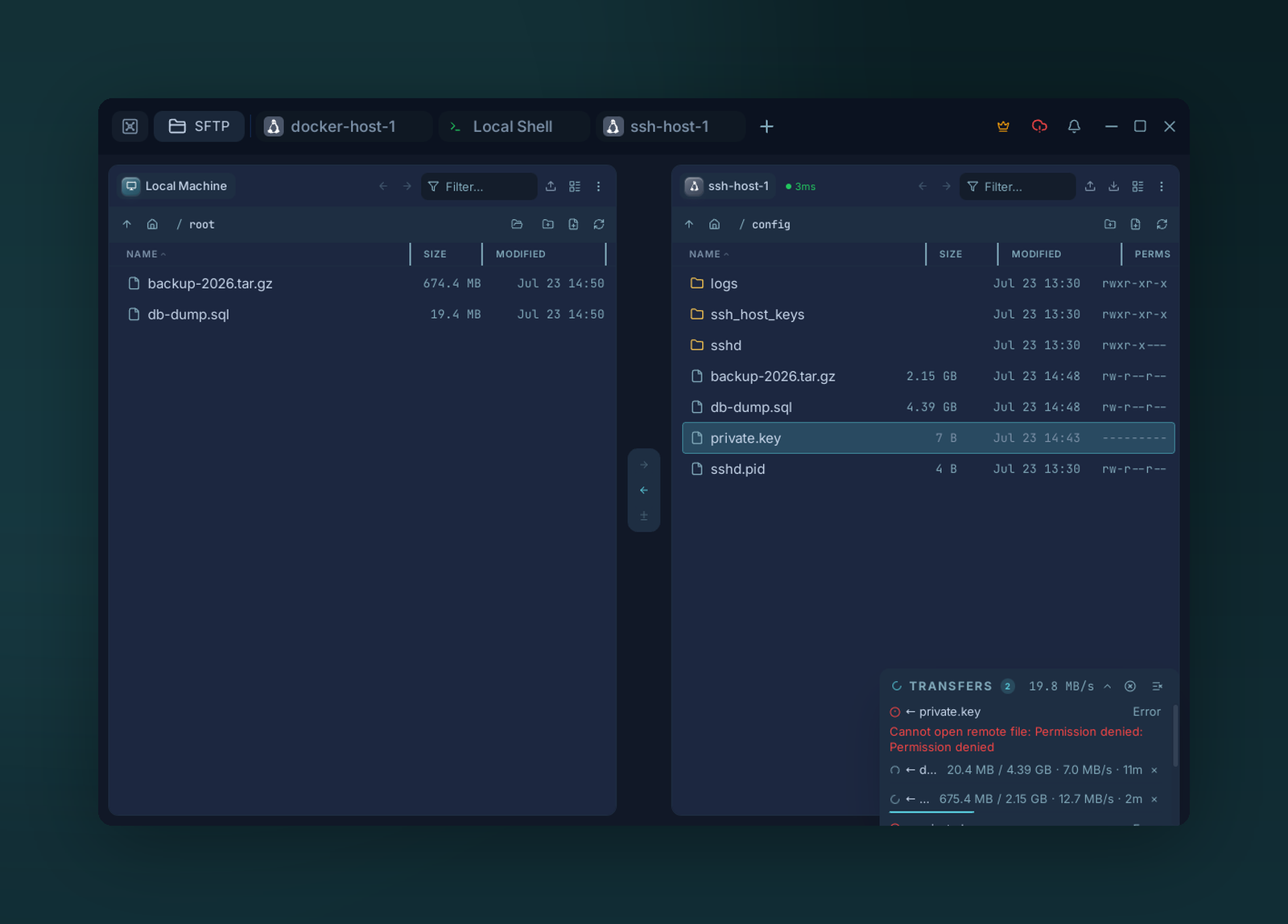
The transfer queue — live progress, speed, and ETA per item, with a failed transfer showing its error. Pause, resume, retry, or cancel.
Pause, resume, retry, cancel. Conflicts open a dialog with Overwrite / Skip / Rename / Apply to all.
Edit in place
Right-click a remote file → Open in editor. Voltius downloads it, watches for changes, and re-uploads on save.