Sync & Accounts
Voltius is local-first: your vault lives on your device, and anything that leaves it is end-to-end encrypted. Your devices stay in step in two ways, and both run at the same time.
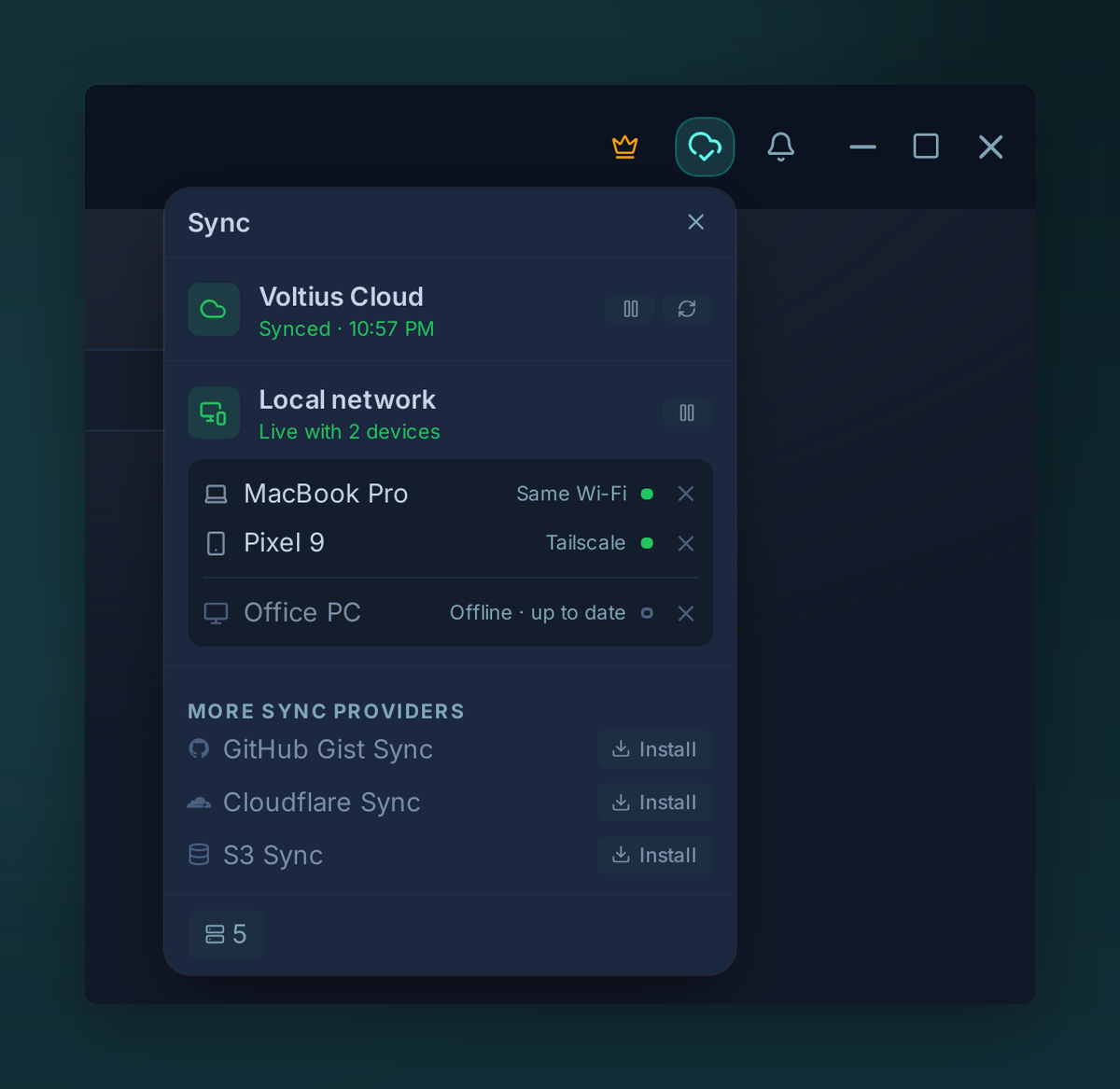
The sync menu in the title bar shows both: Voltius Cloud and your devices on the local network.
How your devices stay in sync
- Local network sync: your devices sync directly with each other when they can reach each other, on the same Wi-Fi or LAN or over Tailscale. Free on every plan and on by default.
- Voltius Cloud: your devices sync through the Voltius server wherever they are, and the server keeps an encrypted copy of your vault. Included in Pro, Teams and Business.
| Local network sync | Voltius Cloud | |
|---|---|---|
| Plan | Free, every plan | Pro, Teams, Business, and the 14-day Pro trial |
| Where your devices are | Same Wi-Fi or LAN, or Tailscale or another VPN | Anywhere with internet |
| Devices online at the same time | Required | Not required: a change waits on the server until the other device comes online |
| Account | Same Voltius account, or a one-time pairing without an account | Voltius account |
| Encrypted copy on a server | No | Yes, to restore a new or reset device |
| What the server sees | Nothing, no server in the path | Ciphertext only |
On a free plan, your laptop and your phone sync whenever they are on the same network or tailnet. With Voltius Cloud they also sync when they are not: a host added on the laptop at the office reaches the phone on mobile data. A change that arrives by both routes is merged once.
Sync with your own storage
Prefer to keep the encrypted vault in an account you already own? These sync provider plugins are free and run alongside the two above:
- Gist sync: a private GitHub Gist
- Cloudflare sync: your own Cloudflare Worker and R2 bucket
- S3 sync: any S3-compatible bucket
Lock your vault
- OS keychain: the vault opens with your system login, the most convenient on a single device
- Master password: the vault opens with a passphrase you choose
Your account
- Two-factor authentication: an authenticator code or a passkey when your account signs in on a new device
- Web portal:
app.voltius.app, for your plan, billing and account settings
For the cryptography behind all of this, see Security → Sync protocol.