Team vaults
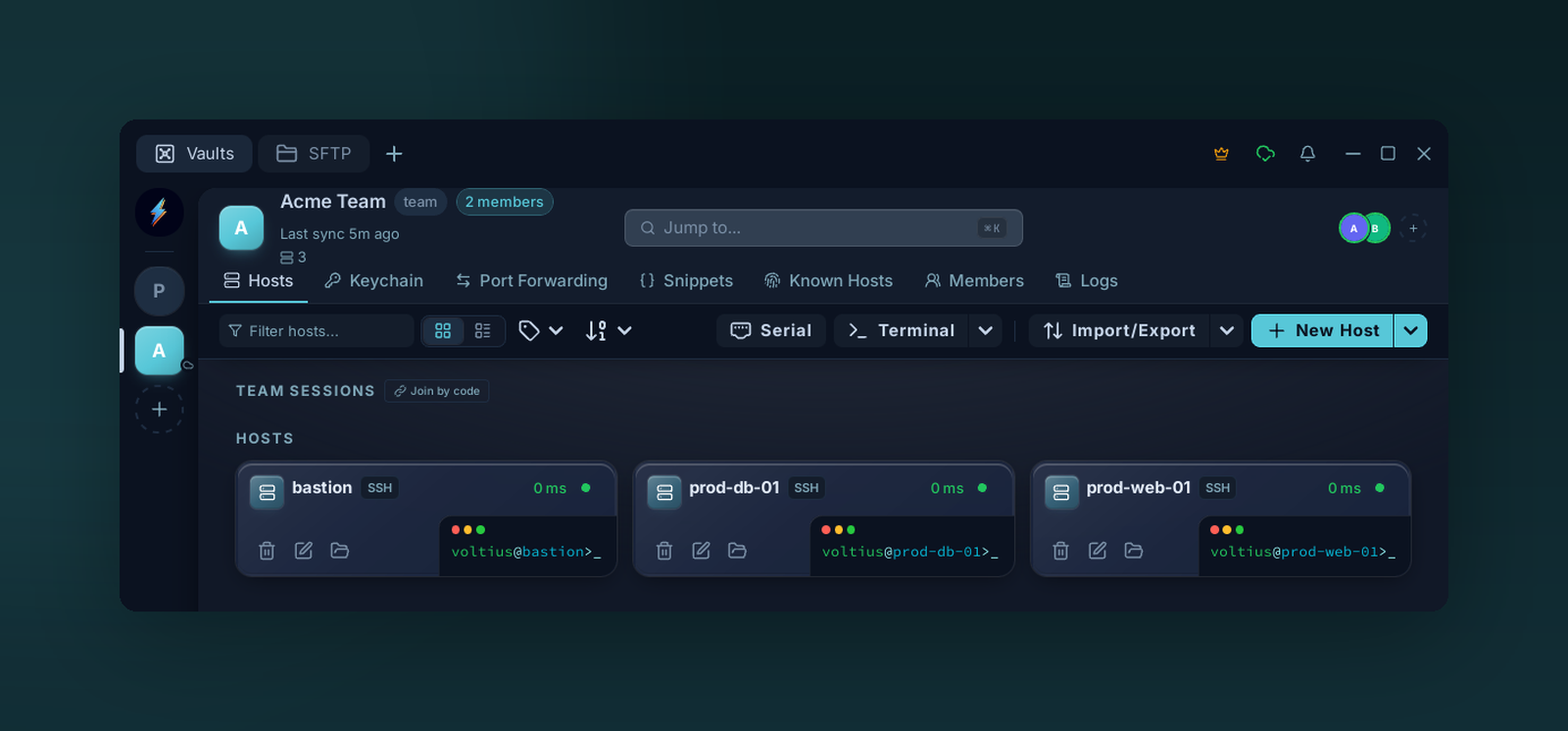
A team vault sits alongside your Personal vault in the sidebar. Everything inside — hosts, keys, snippets — is shared with the team and end-to-end encrypted for every member.
A shared encrypted store. Each member has their own copy of the vault key, wrapped under their public key — the server only relays ciphertext.
Creating
Settings → Vaults → + New team vault (Teams plan or higher).
- Pick a name (e.g.
ops,support). - The vault is created server-side and a vault key is generated locally.
- Invite members — see Members. Their copy is wrapped under their public key at invite-time.
What's in a team vault
Same as a personal vault — hosts, identities, keys, snippets, folders, tags — visible to every member with read access.
Permission model
Per-vault role per member. See Roles.
Leaving / removing
Removing a member revokes their copy of the vault key. Any data they already saw locally is, of course, already saw — rotate any secrets on real systems after a member leaves.
Rotation after offboarding
The vault key is unchanged on removal. For high-sensitivity vaults, follow up with Settings → Vault → Rotate key to re-encrypt under a fresh key. All remaining members get a re-wrapped copy automatically.